
Test without moving
Exercise a driver, navigation, delivery or dispatch app from your desk instead of walking or driving a real route.
Android mock-GPS route player for testing location-based apps — broadcasts a scripted, moving location to your whole device.
Beta-tested via QAProvider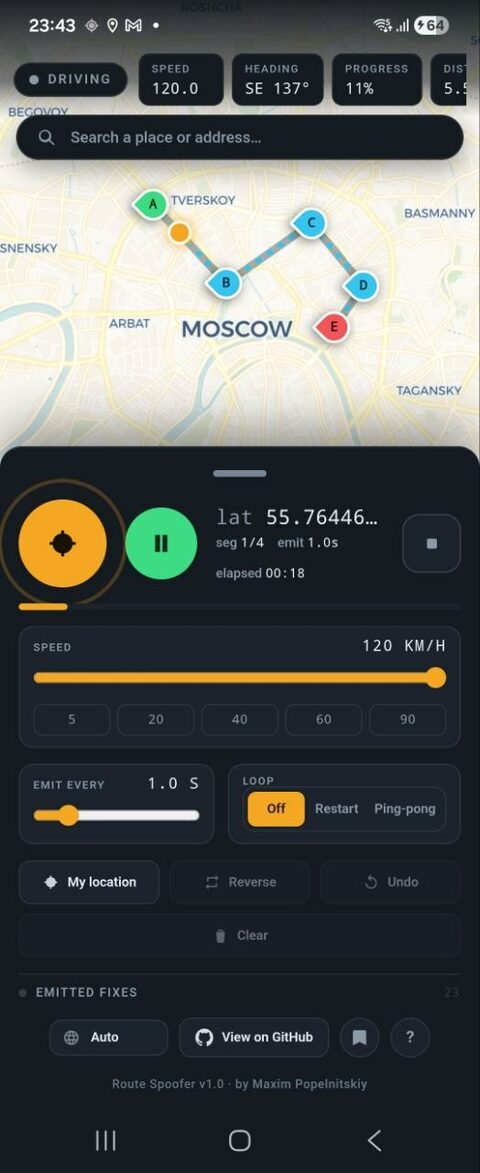
Route Spoofer is a standalone Android app that feeds a scripted, moving GPS location to your whole device. Broadcasting is separate from movement: a GPS toggle turns the fake location on or off, while GO / Pause drives it along a route you draw. Every other app on the phone reads the simulated position as if you were really there — no root and no desktop tool, it all runs on the phone.
Built for QA engineers and developers who work on location-based apps — driver, navigation, delivery and dispatch products.
Exercise a driver, navigation, delivery or dispatch app from your desk instead of walking or driving a real route.
Replay the exact same route at the exact same speed on every run — ideal for regression tests and bug reproduction.
Show a ride-hailing or dispatch platform with a realistic moving trip, without sending anyone outside.
Works with apps that read the system location — Google Maps, maps.me, and most navigation apps. Some apps do their own network-based positioning on top of the system location and may override the simulated route with your real position. If an app shows you where you actually are, that’s why — it isn’t reading the system location at all. Turning off Wi-Fi and mobile data while spoofing usually fixes it.
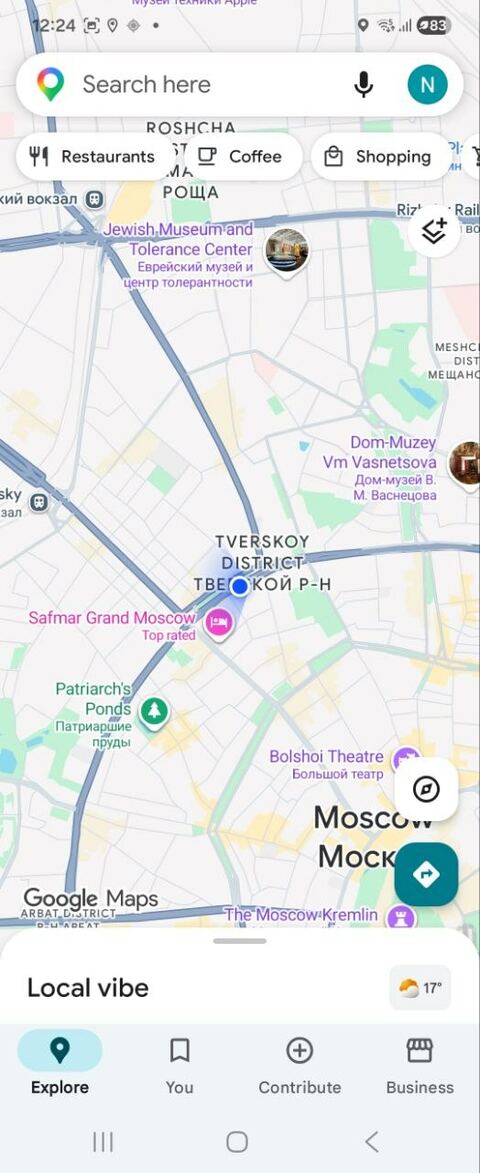
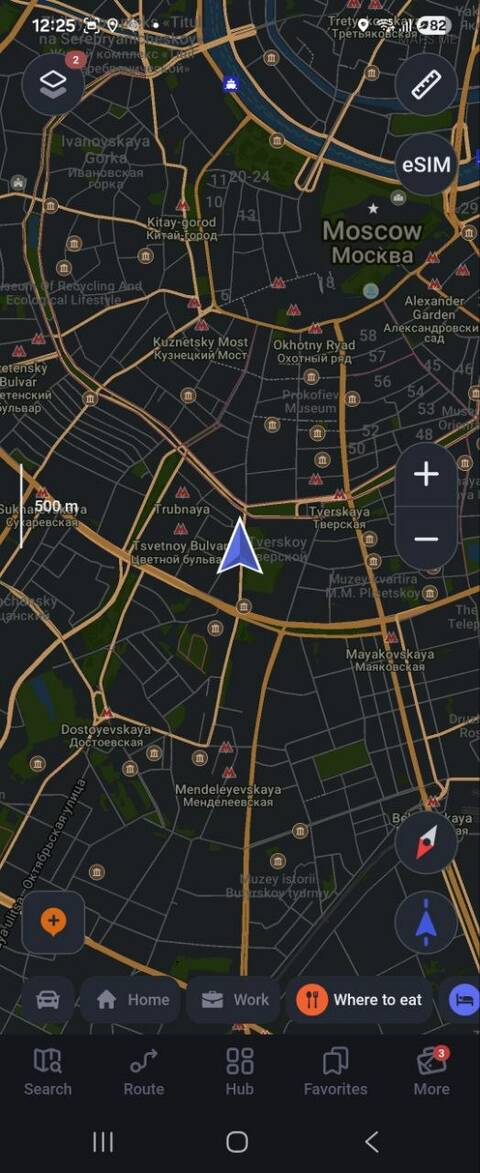
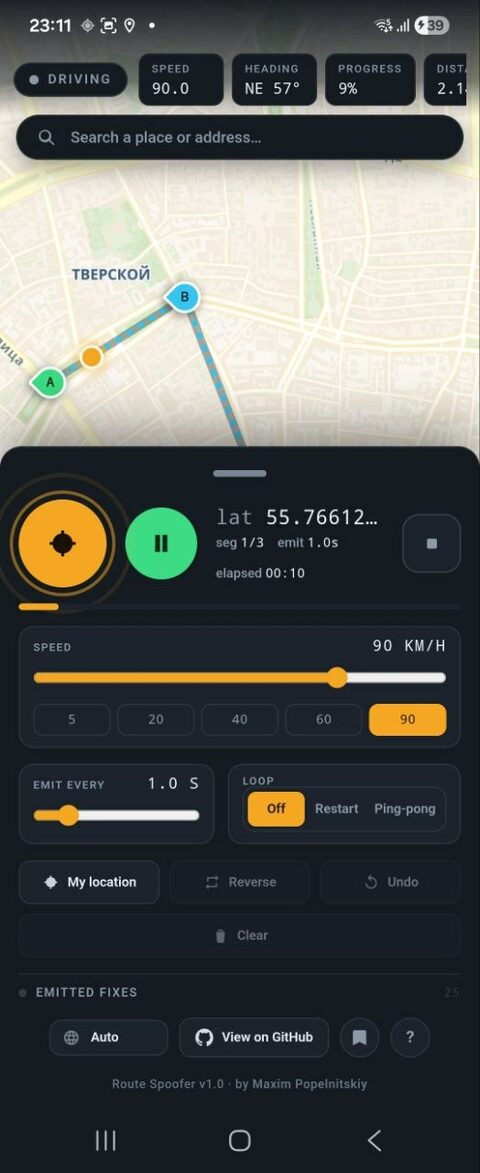
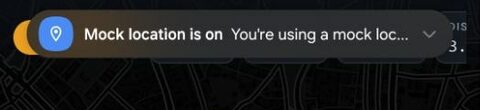
A GPS toggle turns location broadcasting on or off; GO / Pause drives along the route. With GPS on and a single point, the driver just stands there and broadcasts.
Give any point a wait — N minutes (auto-resume) or until you press GO. GO ends any wait early, so you stay in control of the trip.
Tap the map to drop points (A, B, C…), drag to move them, and append new ones even while driving. Every point stays editable at any time — nothing is locked.
Drag the speed slider any time, even mid-drive, and set per-leg overrides. At the end the driver holds and keeps broadcasting; loop off, restart or ping-pong.
Save the whole scene as a named route, then load, rename or delete it — all on-device. Select several to export one JSON file or share it from Android; import merges them back.
Search any place or address to recenter the map across the globe, and it remembers your last view between launches.
A built-in “?” legend explains every control. The dark instrument-panel UI sits on a light, readable map and ships in 8 languages with auto-detect.
The app interface itself is translated into several languages and switches on the fly — handy when you test the same flow across locales.
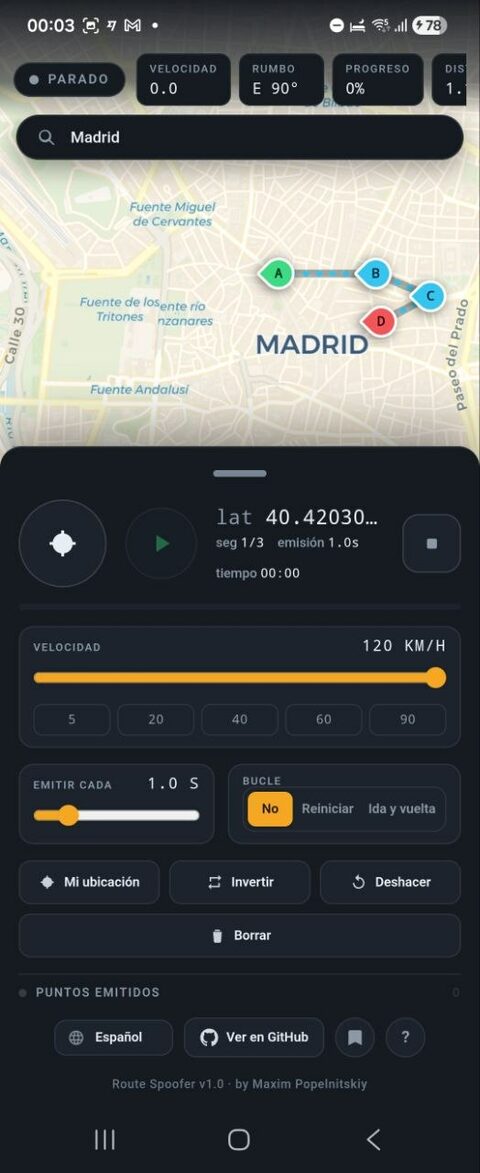
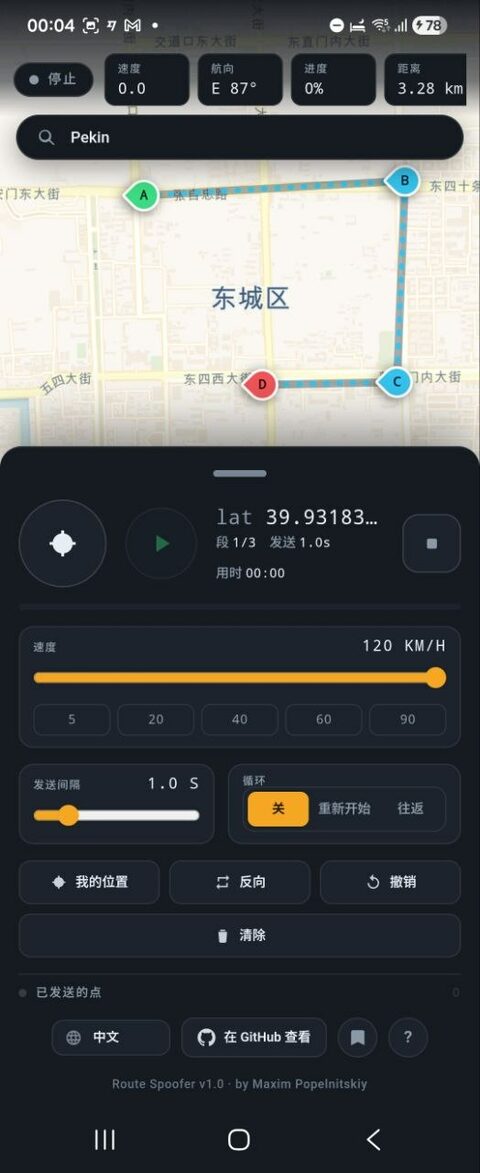
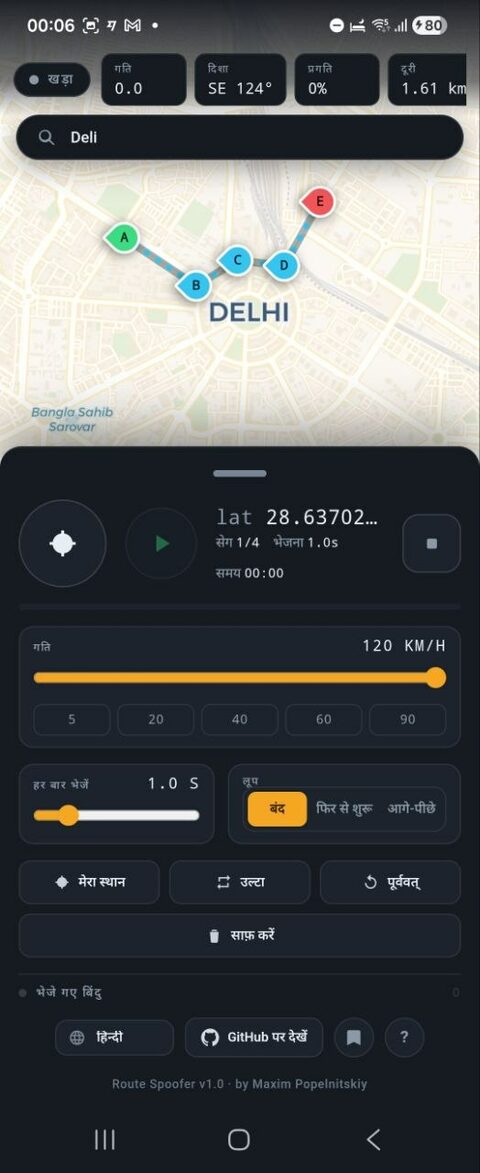
A Capacitor web UI (HTML/JavaScript) handles the map, route editing and a live preview. A native Kotlin foreground service owns the playback clock and injects the position into Android's GPS and NETWORK test providers, so the fix reaches the whole system and keeps emitting in the background. The movement and hold/wake logic live in a pure, unit-tested engine; saved routes and the last map view are stored on the device, and place search uses OpenStreetMap. Route Spoofer must be selected as the system mock-location app; the project builds on the JDK 21 toolchain.
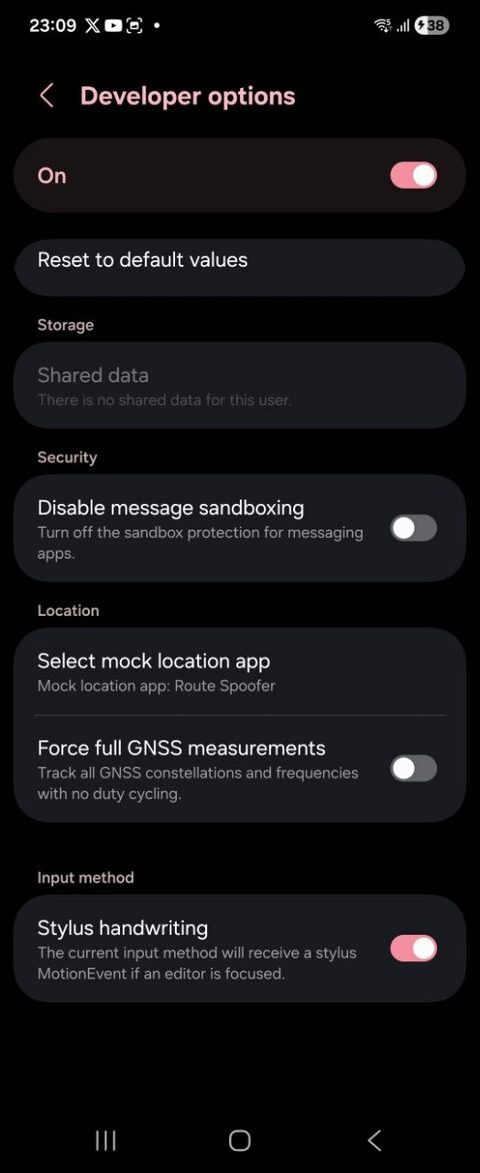
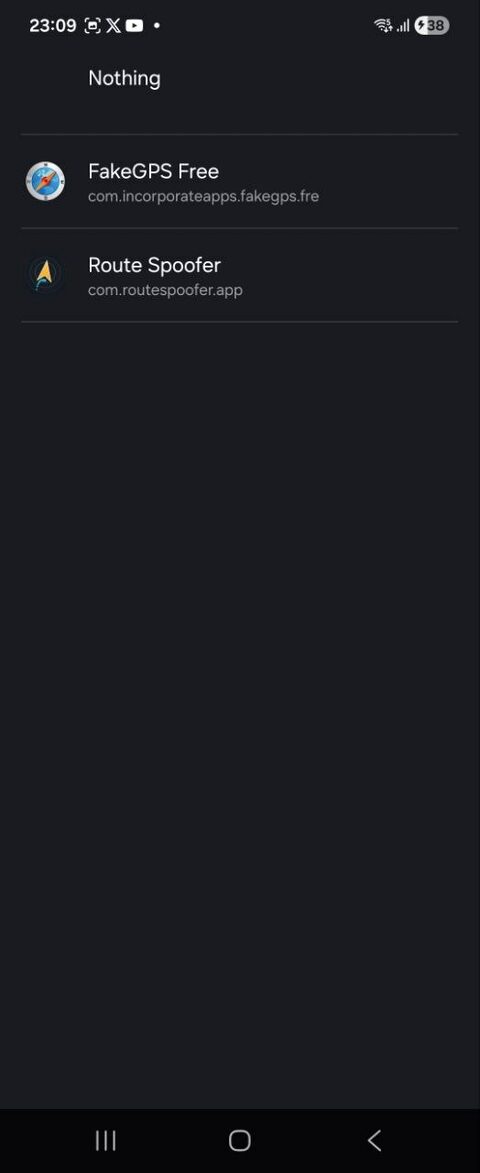
A one-time phone setup, then turn GPS on and press GO. The two screenshots below show the developer-mode steps.
Open Settings → About phone → Software information and tap Build number seven times to unlock Developer options.
Install Route Spoofer from Google Play.
In Developer options open “Select mock location app” and choose Route Spoofer.
Open Route Spoofer, grant Location and Notifications, wait for the readiness card, then turn GPS on and press GO.
GitHub Actions builds the app from source on every push, so every commit is verified to compile.
Or build it yourself in Android Studio with JDK 21 and the Android SDK.
Android only. iOS has no public mock-location API, so it cannot be supported.
Released under the MIT License — © 2026 Maxim Popelnitskiy. Free to use, modify and distribute.
MIT License · © 2026 Maxim Popelnitskiy